

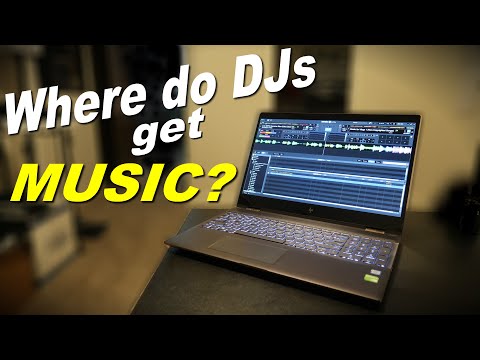
Practical Guide to Music for DJing – What Every UK DJ Should Know
What Is Music for DJing and Why It Matters
Music for DJing isn’t just any collection of tracks; it’s a curated set of tunes that suit mixing, looping and live performance. The right selection influences the energy of a crowd, the flow of a set and the DJ’s ability to react to on‑the‑spot requests. In the United Kingdom, clubs, festivals and private events each have distinct musical expectations, making it essential to understand the context before you build your library.
Beyond genre, DJs need tracks that are properly tagged with BPM, key and cue points. Accurate metadata saves precious minutes when you’re searching for the perfect transition during a gig. As a result, investing time in building a well‑structured collection of music for DJing pays dividends in confidence and performance quality.
Where to Find High‑Quality Music for DJing
There are three main channels for obtaining professional‑grade music suitable for DJ sets: commercial download stores, subscription streaming services, and direct label releases. Each option offers a different balance of cost, licensing clarity and catalogue depth.
For most UK DJs, commercial stores such as Beatport, Juno and Traxsource remain the gold standard because they provide industry‑standard WAV and AIFF files with explicit DJ‑ready metadata. Subscription services like TIDAL, SoundCloud Go+ and Apple Music are cheaper per month but often deliver compressed MP3s and have more restrictive licensing for public performance.
Commercial Stores
- Beatport – Extensive electronic catalogue, regular sales, and direct integration with Serato and Rekordbox.
- Juno – Strong focus on house and techno, offers high‑resolution files and label‑direct releases.
- Traxsource – Preferred by deep house and soul specialists, includes detailed key and BPM data.
Subscription Services
- TIDAL – Hi‑Fi lossless streaming, good for personal listening but limited for public DJ use.
- SoundCloud Go+ – Access to many indie releases; however, not all tracks are cleared for commercial performance.
- Apple Music – Vast catalogue, but primarily MP3/AAC; licensing may require extra steps for live gigs.
Organising Your Music Library for Seamless Sets
A chaotic library can cripple a DJ’s workflow. The key to a smooth set lies in a logical folder structure, consistent tagging, and regular pruning of unused tracks. Start by grouping tracks into genre‑based folders, then create sub‑folders for mood, tempo range or specific events (e.g., “Festival Warm‑Up”).
Beyond folders, use a dedicated DJ library manager such as Rekordbox or iTunes to embed cue points, loops and colour‑coded tags. Regularly review your collection and remove duplicates or low‑quality recordings; a lean library speeds up search times and reduces the chance of playback errors.
Step‑by‑Step Organisation Checklist
- Create top‑level folders for major genres (House, Techno, Bass, Hip‑Hop, etc.).
- Within each genre, add sub‑folders for BPM ranges (e.g., 120‑125 BPM, 126‑130 BPM).
- Use a consistent naming convention: Artist – Title [Key] (BPM).mp3
- Apply colour tags to highlight favourite tracks or crowd‑pleasers.
- Back up the library weekly to an external drive or cloud storage.
File Formats, BPM Tags and Metadata – The Technical Essentials
The file format you choose affects both audio quality and the load performance of DJ software. While many gigs run flawlessly with high‑quality MP3s, professional setups often prefer lossless formats to preserve detail, especially in bass‑heavy tracks.
Accurate BPM and key information is crucial for harmonic mixing. Most DJ platforms can read embedded ID3 tags, but manually confirming values after import is best practice. Consistency in metadata also ensures that smart playlists and auto‑mix features work as intended.
<td~4 mb
| Format | File Size (per minute) | Audio Quality | Typical Use |
|---|---|---|---|
| Comparison of Common DJ Formats | |||
| MP3 (320 kbps) | ~2.4 MB | High‑quality lossy | Most club setups; good balance of size and quality. |
| WAV (16‑bit/44.1 kHz) | ~10 MB | Lossless PCM | Professional venues where storage isn’t a constraint. |
| FLAC (16‑bit/44.1 kHz) | Lossless compressed | Ideal for high‑fidelity laptops and desktop rigs. | |
| AIFF (16‑bit/44.1 kHz) | ~10 MB | Lossless PCM | Mac‑based workflows; compatible with most DJ software. |
Integrating Music with Popular DJ Software
Choosing the right software determines how effortlessly your music for DJing translates into a live performance. The three industry leaders—Serato DJ Pro, Rekordbox and Traktor—each have unique strengths in library handling, hardware integration and performance features.
When you import tracks, ensure the software reads BPM, key and cue points correctly. Many platforms also support external plug‑ins that can automatically analyse tracks, saving you time. For UK DJs who frequently switch between laptops and CDJs, Rekordbox’s performance‑mode exports are particularly valuable because they preserve playlists and beat‑grids on USB drives.
Quick Compatibility Checklist
- Serato DJ Pro – Best for DVS (digital vinyl system) and extensive hardware support.
- Rekordbox – Ideal for Pioneer CDJ users; strong playlist export to USB.
- Traktor – Flexible mapping for custom controllers and robust effects.
- Virtual DJ – Good for beginners; offers auto‑mix and streaming integration.
Pricing Models and Budget Tips for UK DJs
Cost considerations vary widely depending on whether you purchase tracks individually, subscribe to a service, or buy bulk licences. Individual track purchases from Beatport typically range from £0.99 to £1.99, while monthly subscriptions to platforms like TIDAL cost around £10‑£12. Bulk licences for commercial performance can be negotiated directly with record labels for larger venues.
For emerging DJs, a hybrid approach often works best: build a core collection of essential tracks via one‑off purchases, then supplement with a subscription for discovery and testing. Remember to factor in VAT and potential import duties when buying from overseas stores.
Budget‑Friendly Strategies
- Take advantage of regular sales on Beatport and Juno – discounts can be up to 50 %.
- Join DJ community forums where members share promo codes and free downloads.
- Use free trial periods of streaming services to evaluate catalogue relevance before committing.
- Invest in a high‑capacity external SSD; it reduces the need to repurchase tracks for storage.
Support, Reliability and Legal Considerations
Legal compliance is non‑negotiable for public performances. Ensure that any track you play is covered by the appropriate performance rights. In the UK, venues usually hold blanket licences from PPL and PRS, but it’s prudent to keep receipts and licence documentation for your own records.
Reliable support comes from both the music providers and the DJ software publishers. Look for platforms that offer responsive customer service, clear refund policies, and regular updates to keep your catalogue compatible with the latest hardware. A solid support framework reduces downtime during gigs and protects your investment in music for DJing.
Ready to expand your collection? Browse a curated selection of professional‑grade tracks for djing and start building sets that keep the dancefloor moving.